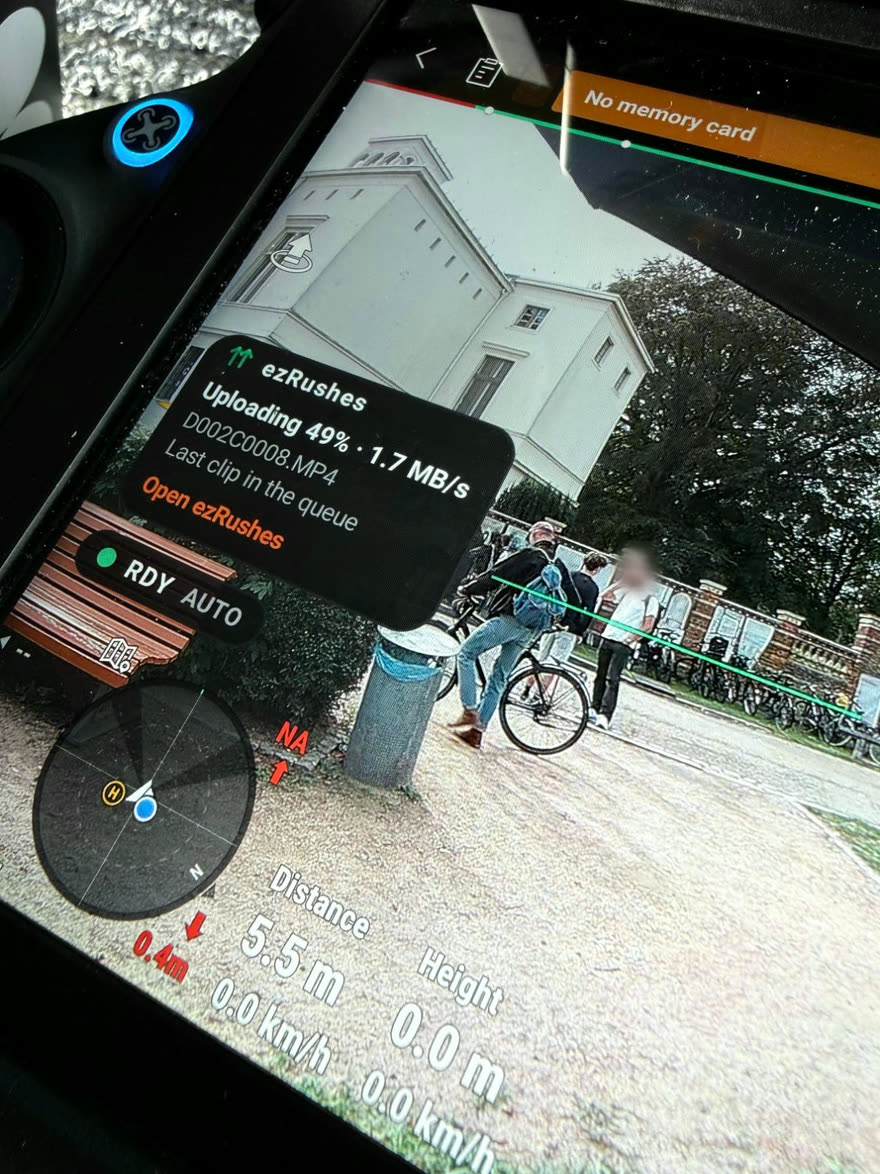
It uploads while you fly.
No laptop, no card pull, no evening upload. The app runs on the controller and sends each clip as it's written.
Camera-to-cloud for DJI — with client review built in.
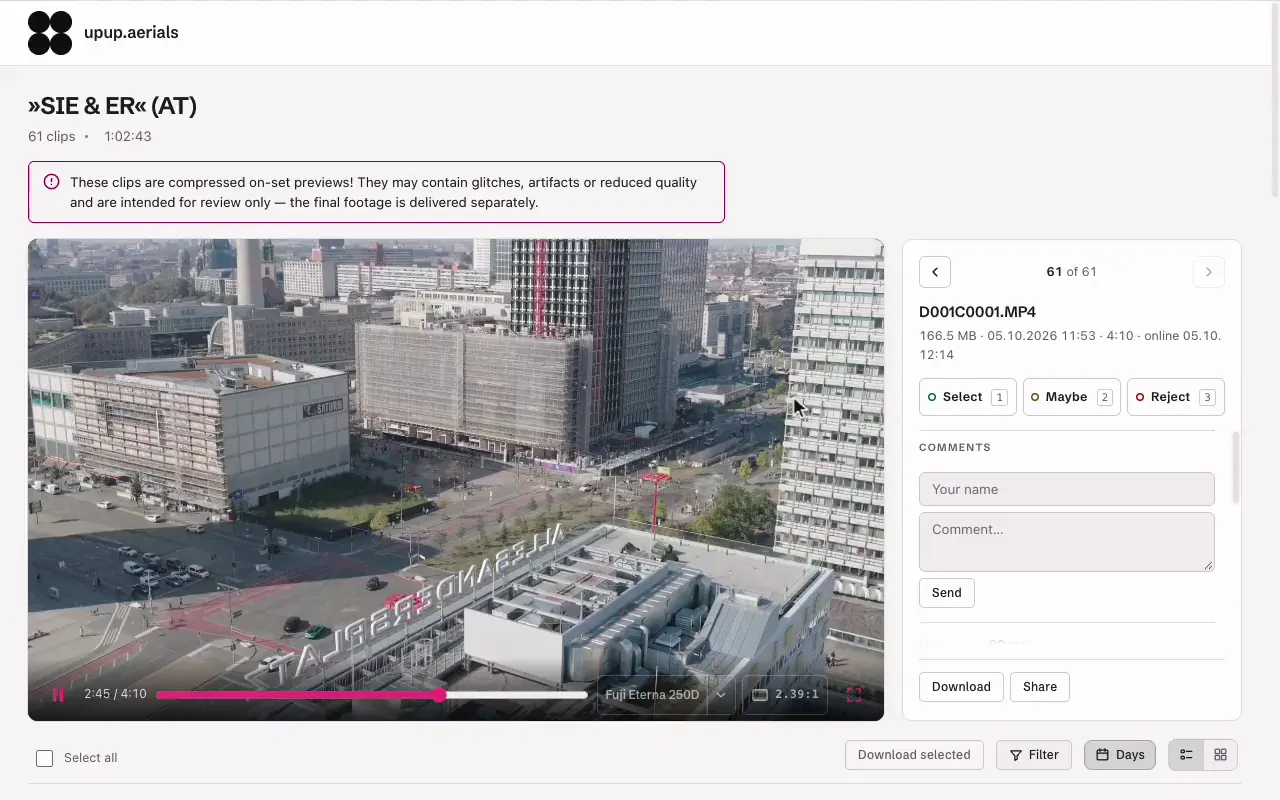
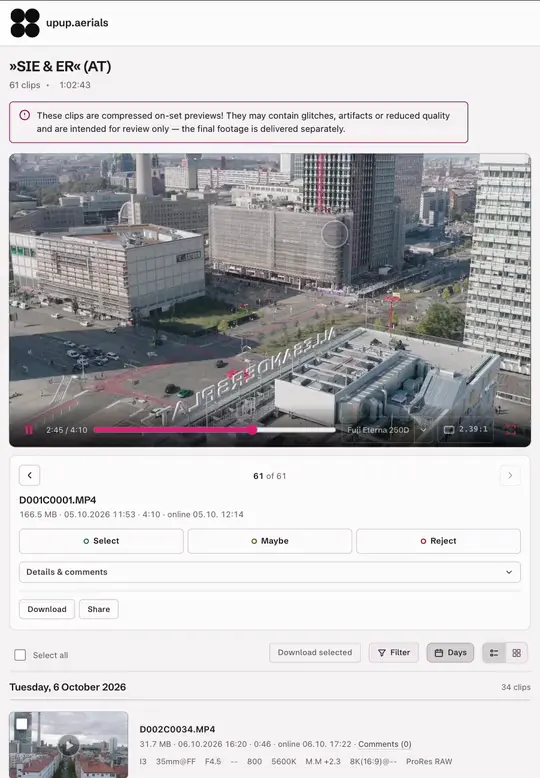
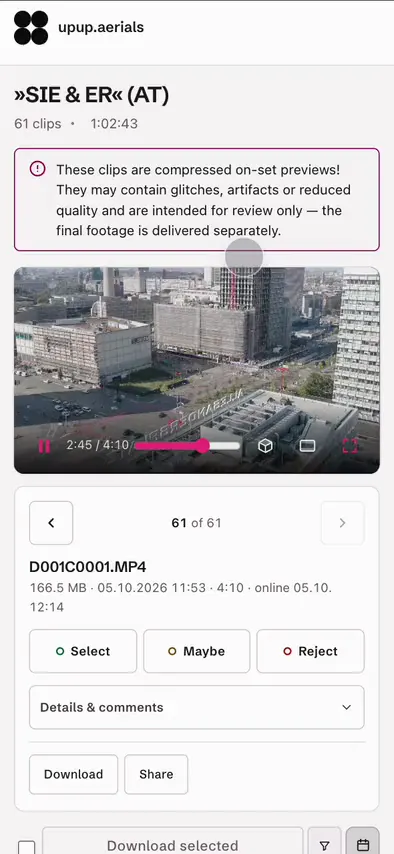
ezRushes runs on your DJI smart controller and uploads your rushes to a branded review portal while you're still in the air. Production opens a link, marks selects, leaves comments or downloads clips as proxies.

When the people giving creative direction can see the material as it lands, they don't have to be on set with you to sign off on it. And when something is wrong, you find out while you're still on location — not in post.
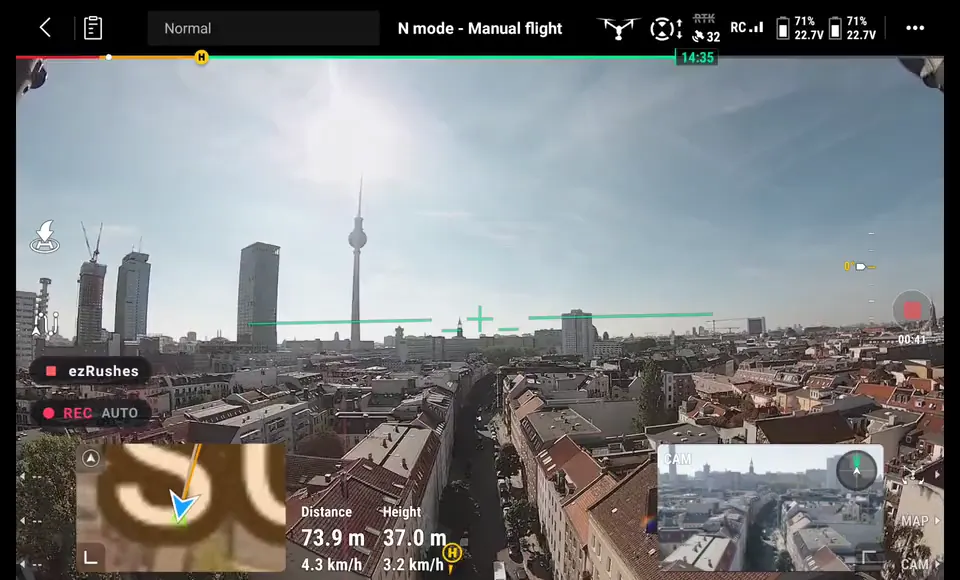
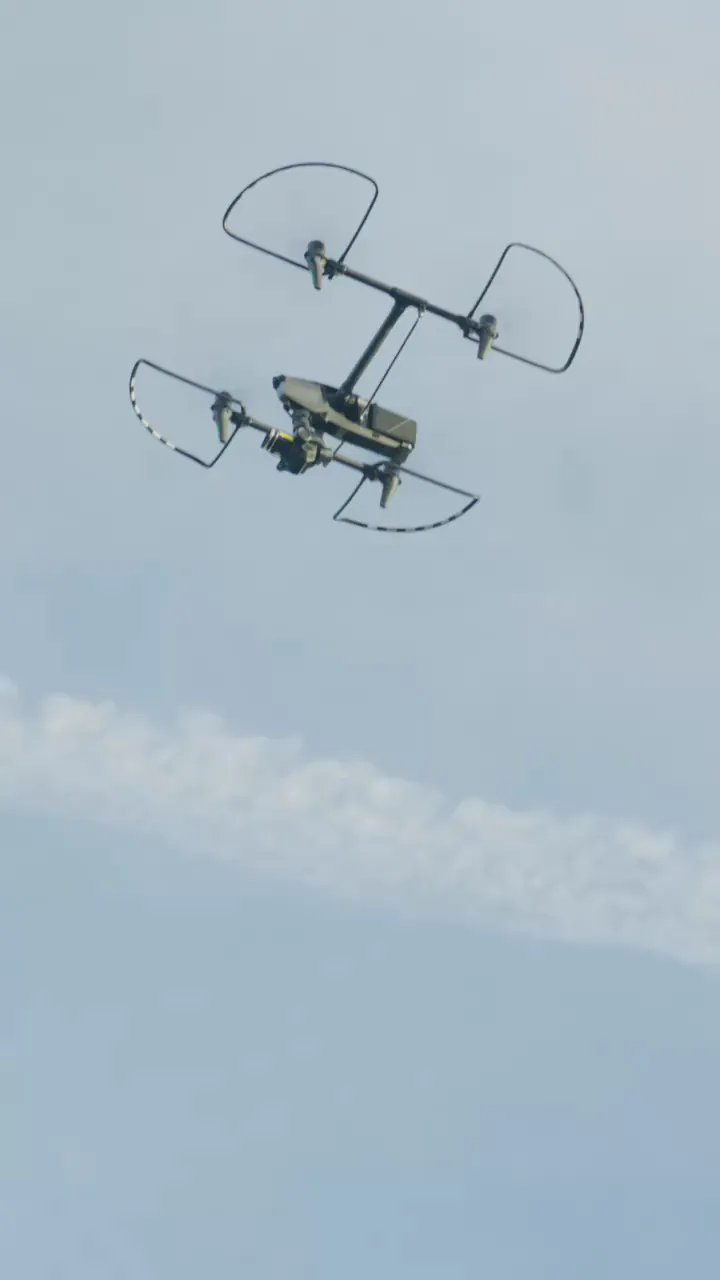
We shoot a lot of second unit on the Inspire. Filming the remote's screen with a phone so the director can see the shot — that's finally over.
 Apostolos PasvourisCinehawks
As a drone service provider, we can no longer imagine our everyday production without ezRushes. Planned camera flights can be shared with clients and the director quickly and easily, right from the remote — including selects and metadata. A perfect tool that makes collaboration between camera and director so much easier. We can't do without it anymore!
 Markus FriebeTeamFriebe Media
We use ezRushes on almost every shoot, and our clients' feedback is overwhelmingly positive. We developed it to reduce friction on set, but over time we found so many more use cases. We've had clients plan their entire shooting day differently and cut costs — just because they could review the footage while it was being shot.
 Max Mandelbaumupup.aerials
We knew in advance that we wouldn’t have to go to the establisher location ourselves — our drone crew shot them before our day had even begun. So we planned the whole day around our main location and had much more time there. We reviewed and approved the shots on ezRushes in the car on the way.
 Jan SchröderProducer, Wolffpack Vision
Been using ezRushes for a few months too. On second unit it’s honestly been a game changer for me — DP or director can look at stuff while I’m still up and just tell me what they need. Way better than sending shaky phone videos of the monitor. And the regular updates keep adding useful stuff, so it just keeps getting better.
 Simon Eymannkopterwork
No laptop, no card pull, no evening upload. The app runs on the controller and sends each clip as it's written.
Lens, aperture, shutter, ISO, white balance and resolution, read automatically from the camera HUD. Filterable in the portal.
Select, Maybe, No — with comments, per clip. The decision happens where the footage is.
No box on the aircraft, no transmitter to rig, no power to find. The link is already there.
Share a link and a PIN, or a QR code for PIN-free access. Nothing is ever public.
RC Plus, RC Pro 2, RC Pro. See the full compatibility list.
Compress rushes on your remote before upload.
Weak signal on set? The remote makes a lighter copy of each take, so it still gets through on a phone hotspot at the edge of a field.
Your logo, your company name, your colours — in dark or light. Clients review in a portal that looks like yours.
Register, install the app on your remote, pair it with a 6-character code — done.
Start free. Upgrade at your convenience.
Runs on your own server, on your own domain. Your material never leaves your infrastructure — and the storage and project limits come off with it.
For productions under NDA, broadcasters, and anyone whose client won’t sign off on third-party hosting.
Grow your plan for free: invite other crews and you both get +1 GB — you also gain
+1 project slot per invite (up to three). Your invite link lives on your
account page.
No checkout, no card. Register, pick your plan in your account — the invoice is issued separately.
For businesses only — prices are net, plus VAT where applicable.
The low-res proxies DJI writes on the remote while recording — around 6–9 Mbit/s H.264. Your originals stay untouched on the drone's media.
No. The app runs on the DJI smart controller itself. As long as the remote has internet (Wi-Fi or phone hotspot), clips flow to your portal automatically.
Over Wi-Fi — your phone's hotspot works fine. Best practice on set is a dedicated LTE hotspot (mobile router): the remotes connect to it reliably, and it doesn't drain your phone's battery.
Not with the transmission set to dual band. If the Inspire's video link is limited to 2.4 GHz and your Wi-Fi or hotspot runs on 2.4 GHz as well, both share the same band — and the live feed can drop noticeably as soon as an upload starts. Keep the transmission on dual band (2.4 + 5.8 GHz) in DJI Pilot 2, and the link switches to the clearer band by itself. To rule it out completely, turn on “Upload only when drone is disarmed” in the ezRushes settings: clips then wait while the drone is armed and upload once it is back in standby.
DJI smart controllers with a built-in screen: the DJI RC Plus (Inspire 3), DJI RC Pro 2 (Mavic 4 Pro) and DJI RC Pro (Mavic 3 series). The RC-N series and RC 2 / RC are not supported. Full details in the compatibility list.
As many as you like. Pair every remote and drone on your fleet to the same account — there's no per-device limit and no extra fee per remote. The only thing that scales with your plan is storage: all your remotes upload into your account's shared storage, so the storage tier is the single limiting factor, not the number of devices.
They open your project link, enter the PIN and mark clips as Select / Maybe / No, with comments. You see new comments highlighted in your admin view.
Just keep shooting. Every clip waits in the upload queue on the remote and uploads by itself as soon as there is a connection — at the hotel, on a hotspot, the next day. Uploads are sent in small pieces and resume exactly where they stopped, so a dropped or patchy connection never restarts a clip and never blocks the DJI app.
Each clip remembers the project and folder it was recorded for. If you switch to another project before the remote is back online, yesterday's clips still land where they belong. On weak networks you can switch to LQ uploads (a lighter re-encode made on the remote), pause uploads entirely, or let the battery guard hold them back — and the wrap check tells you at the end of the day whether everything is on the server. Clips recorded while the app wasn't running can be added with one tap.
Your shoot is not interrupted. Beyond your plan's storage, uploads continue on a safety buffer (5 GB, 3 GB on Free), and you get a warning right away — in your admin portal, in the app on the remote and by email — so you can react between takes instead of finding out at wrap.
Only when the buffer is used up as well are new uploads refused. Nothing is lost: the clips stay in the queue on the remote and upload automatically as soon as there is space again — delete clips or projects you no longer need, or upgrade your plan. Clips already in the portal stay available to you and your clients the whole time.
The buffer is there to get you through a shoot, not to replace a bigger plan: accounts that stay over their plan can be suspended — see our terms.
Yes — that's the Self-hosted plan: the same portal on your own server and domain, from 1,190 €/year plus 490 € setup. Book an appointment.
Yes. Every account has a personal invite link (find it on your account page). A crew that registers through it starts with an extra +1 GB — and you permanently gain +1 GB and +1 project slot per invite, up to three invites. On Free that means up to 5 GB and 4 active projects, for free.
ezRushes runs directly on DJI smart controllers with a built-in screen.
| Remote | Drones | Status |
|---|---|---|
| DJI RC Plus | Inspire 3 (DJI Pilot 2) | Supported |
| DJI RC Pro 2 | Mavic 4 Pro (DJI Fly) | Supported |
| DJI RC Pro | Mavic 3 series (DJI Fly) | Supported |
| DJI RC-N series, RC 2 / RC | Air 3, Mini 3/4 Pro … | Not supported |
The DJI RC 2 and RC are locked down by DJI, and the RC-N series has no built-in screen to run the app on. Your remote missing? Tell us.